Android tablets
Mounting your tablet.
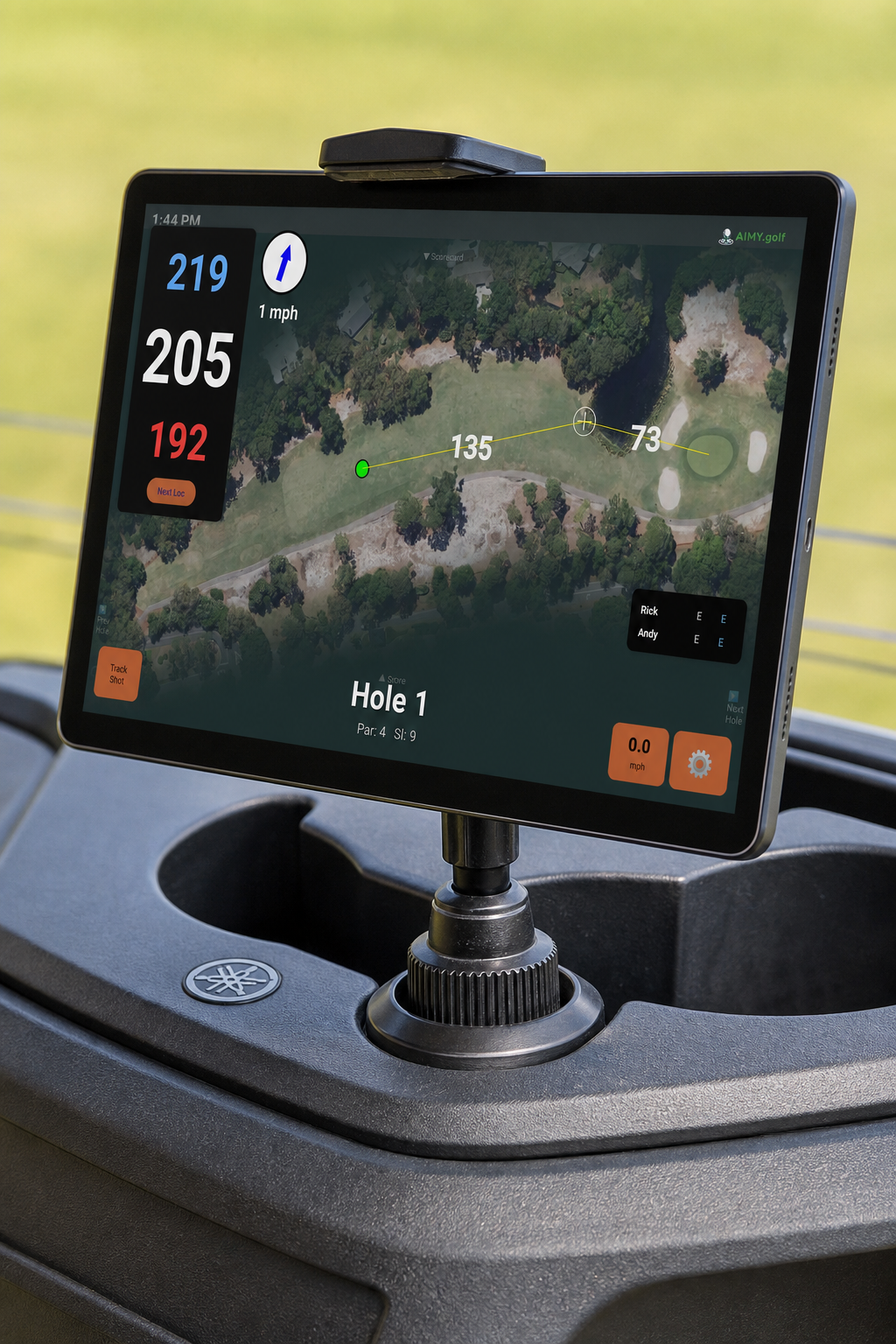
Aimy works best when the display is secure, visible, and hands-free while you drive. Start simple and upgrade later if you want.
Start simple. Upgrade if you like Aimy. Every setup below has been tested on real rounds. Choose the one that fits your cart and how you use it.
Best place to start
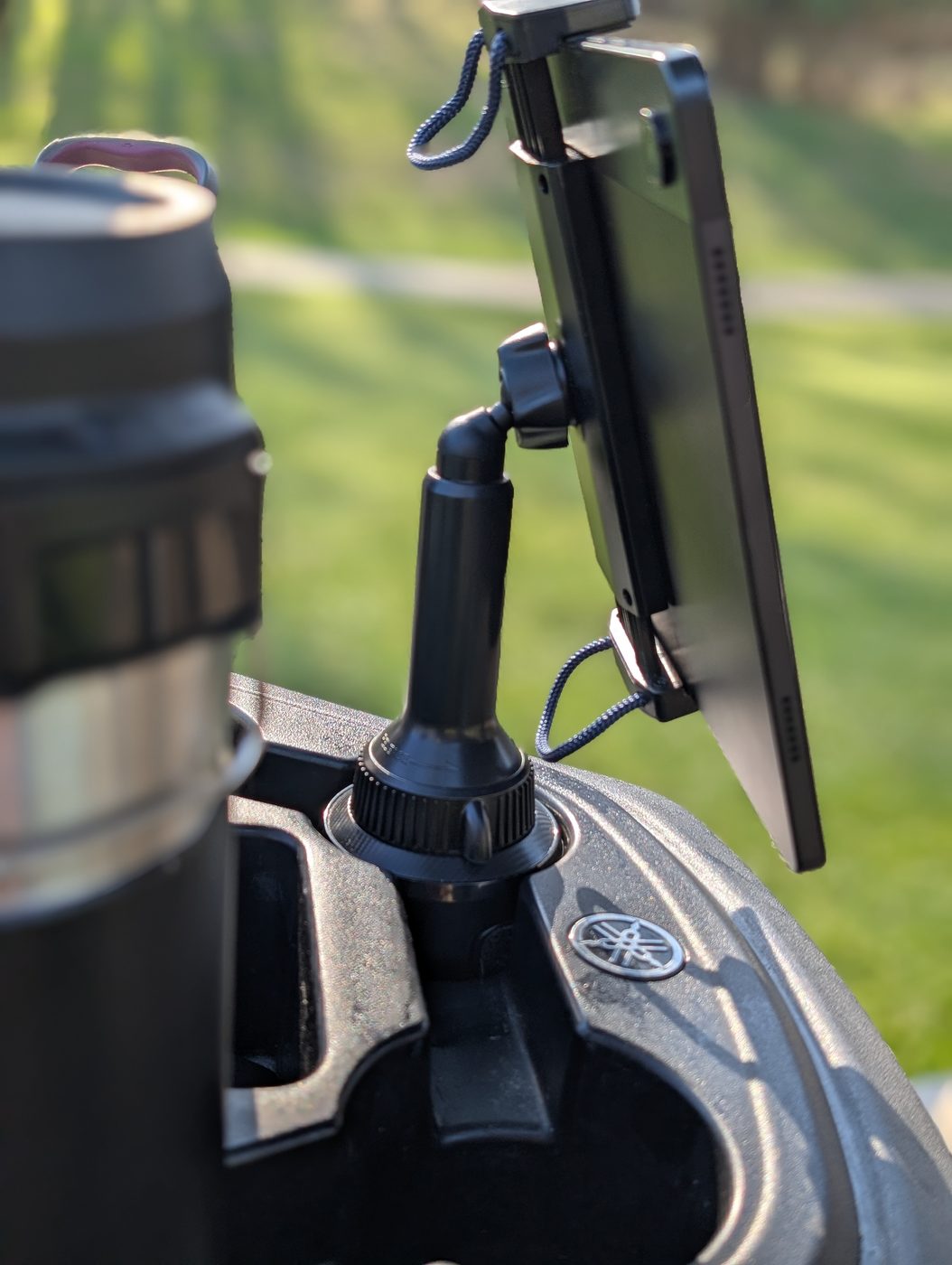
Functional, cheap and easy.
A cupholder mount installs in seconds, requires no cart modification, and travels easily.
What’s needed
- APP2CAR cupholder tablet mount sized for your tablet and cart cup well
Evaluation
- Fast setup—drop it in and go
- No cart modifications
- Slight movement on rough paths
- Packs easily in your golf bag for travel and rental carts
Permanent cart setup
Stable and low-profile.
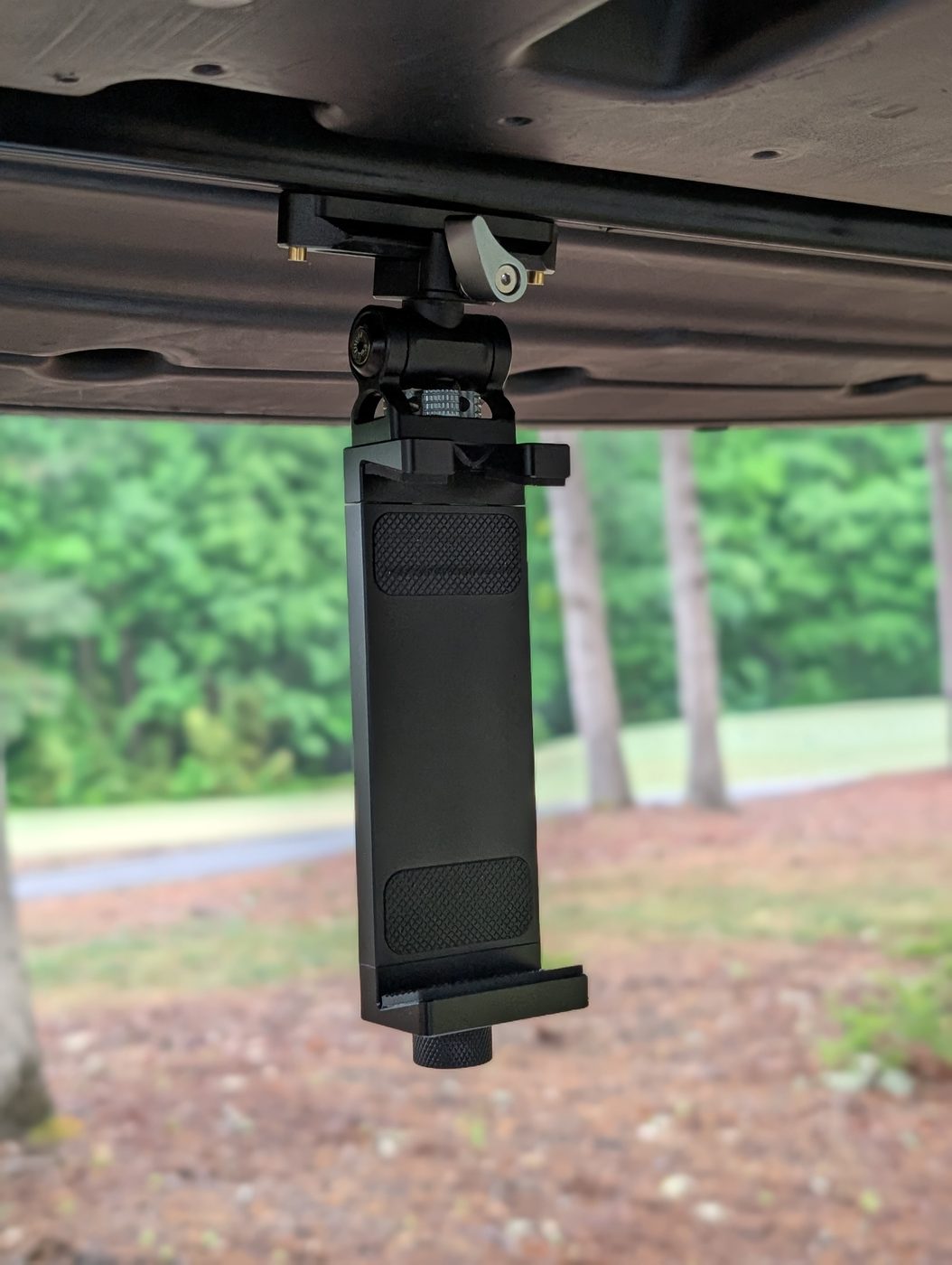
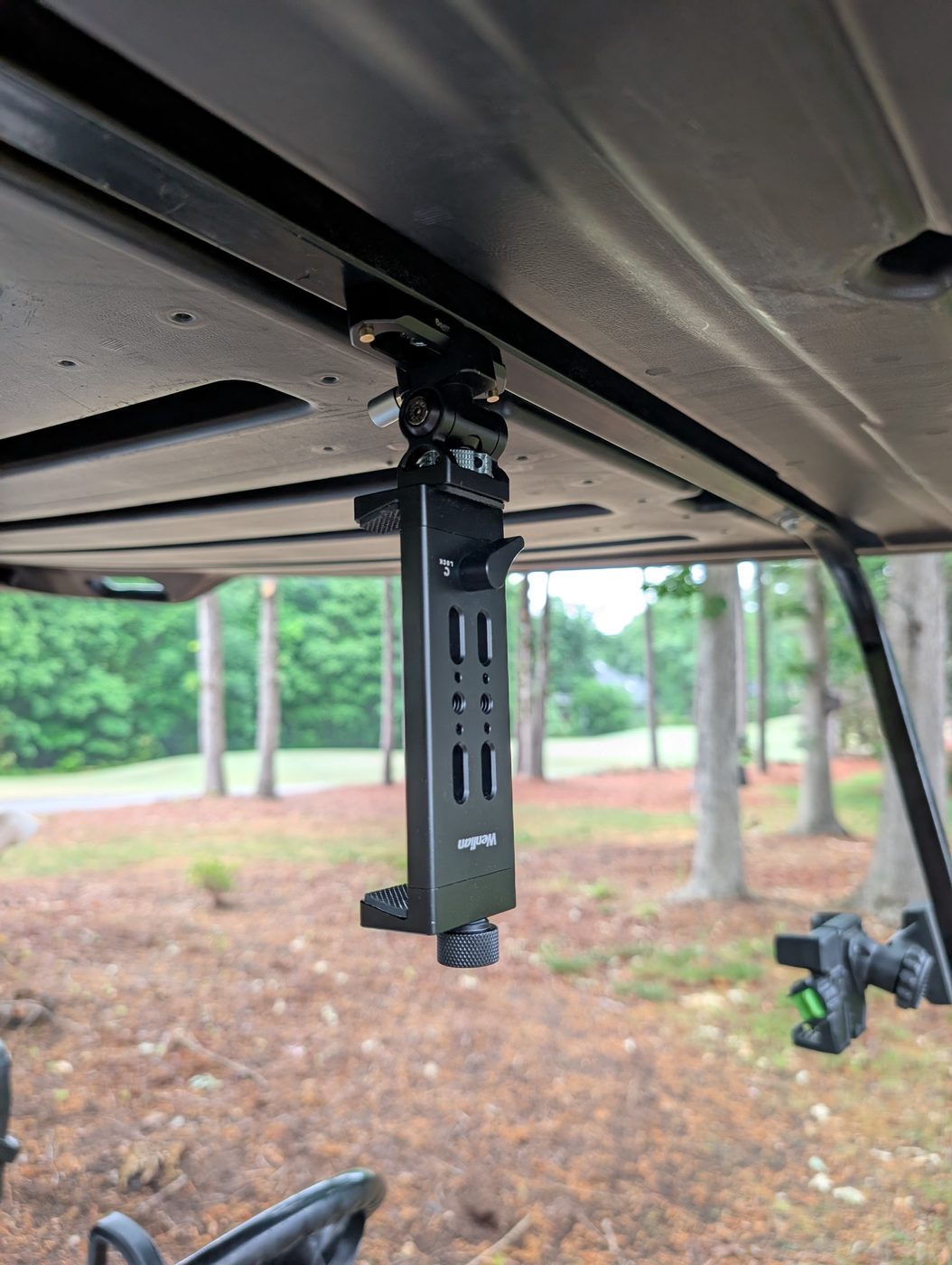
A compact rail mount creates a cleaner, more built-in experience for a cart you use regularly.
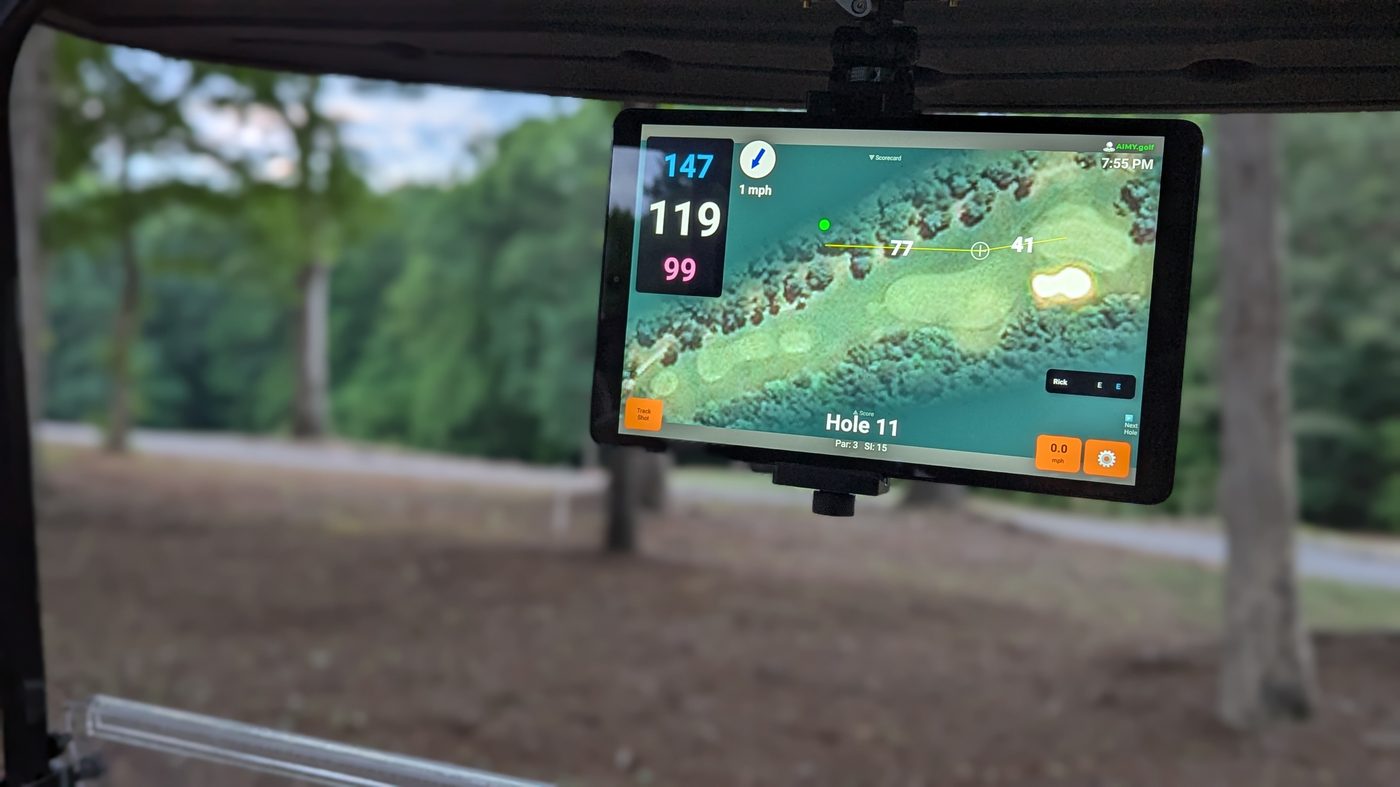
What’s needed
- Compact mounting rail, such as the 7 cm SmallRig NATO rail with quick-release spring pins
- NATO-compatible quick-release swivel monitor mount
- Aluminum tablet holder, such as the Wenlian Aluminum Tablet Tripod Mount
- Fasteners sized for the cart roof strut and rail
Why it works
- Solid, with little twist or added vibration
- Low-profile installation
- Detachable: leave the rail on the cart and take the tablet inside
- Quick-release hardware makes removal easy
Install
- Attach the rail to a roof strut with screws sized for both the strut and rail.
- Slide the swivel mount onto the rail and lock it.
- Attach the tablet holder and set the viewing angle.
- Secure the tablet and verify the mount before driving.
Safety: Use a short tether, a rugged protective case, and check that the tablet and mount are secure before every round.
Get started
Ready for a better view of the round?
Install Aimy, check your course availability, and choose the tablet that works for your cart.